

Set up your search
Set a date range, select one data set, then apply filters to narrow the results.Select a date range
Use the date control to choose the period the search covers. You can pick a preset, such as 3 Months, 12 Months, or 5 Years, or set a custom range.Select a data set
Open Filters. Under Listing Type, select one option. The source depends on the option you choose:- Sold Price: HM Land Registry
- Asking Price: 17 property listing sites
- Asking Rent: 17 property listing sites
Apply filters
In the same Filters list, pick the ones that narrow your search. For example, set Property Type, Number of Bedrooms, and Property Features. The list also includes further options, such as Price Range and Floor Area (Sqft). Click Apply to run the search.See which properties are still on the market
After you click Apply, the results are listed under Matching records. A listing that is still on the market has an orange On Market label in its top left corner.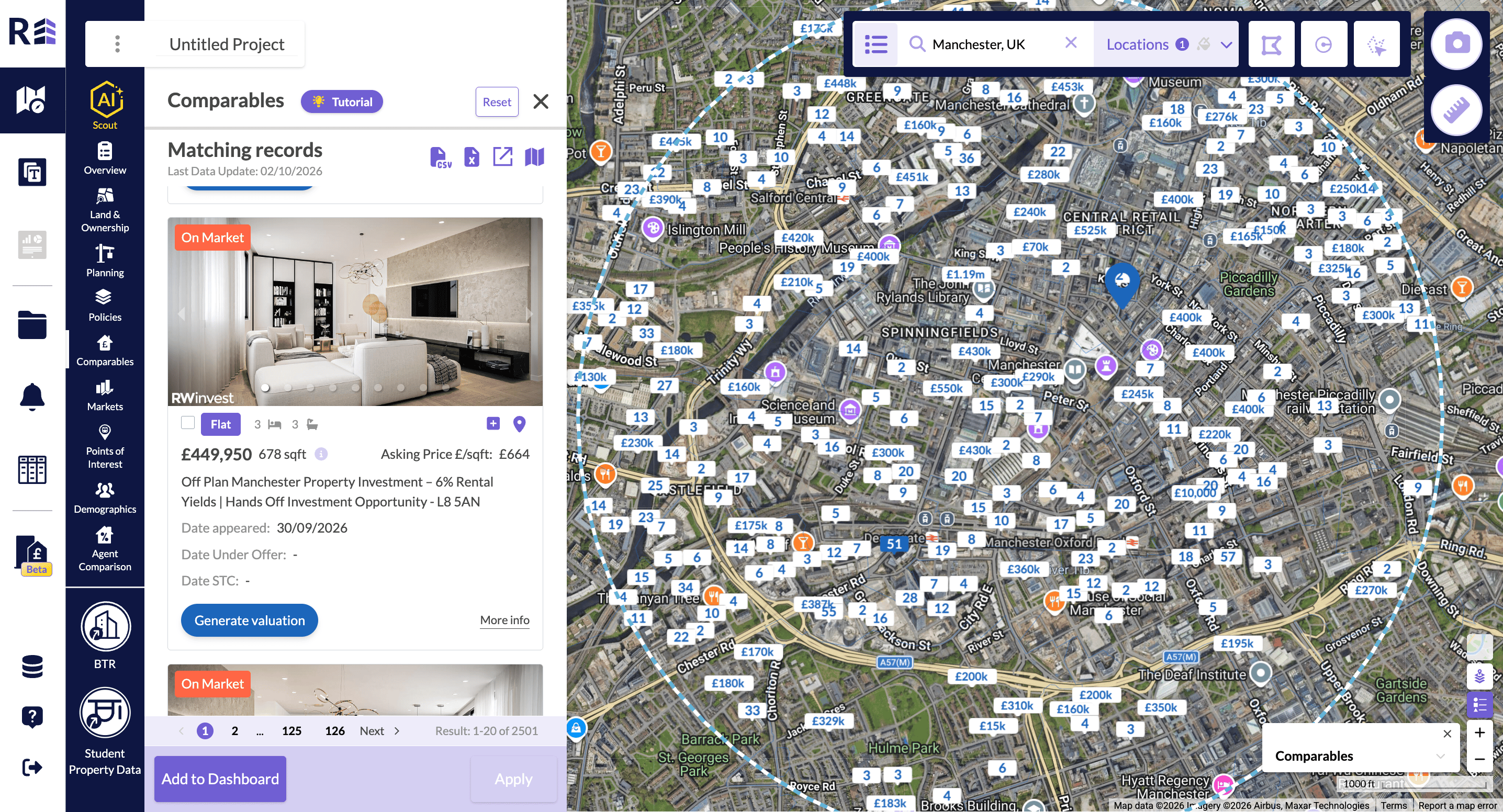
Matching records with the orange On Market label.
Open clustered comparables
A single comparable shows its value in a white box. A white box with a number instead of a value is a cluster of comparables in that area. To see them, do one of the following:- Zoom in on the map to separate the comparables.
- Click the white box and use the arrows in the Comparables pop-up to move through the comparables. The counter, such as 1/4, shows where you are in the cluster. Click Show more for the full details.
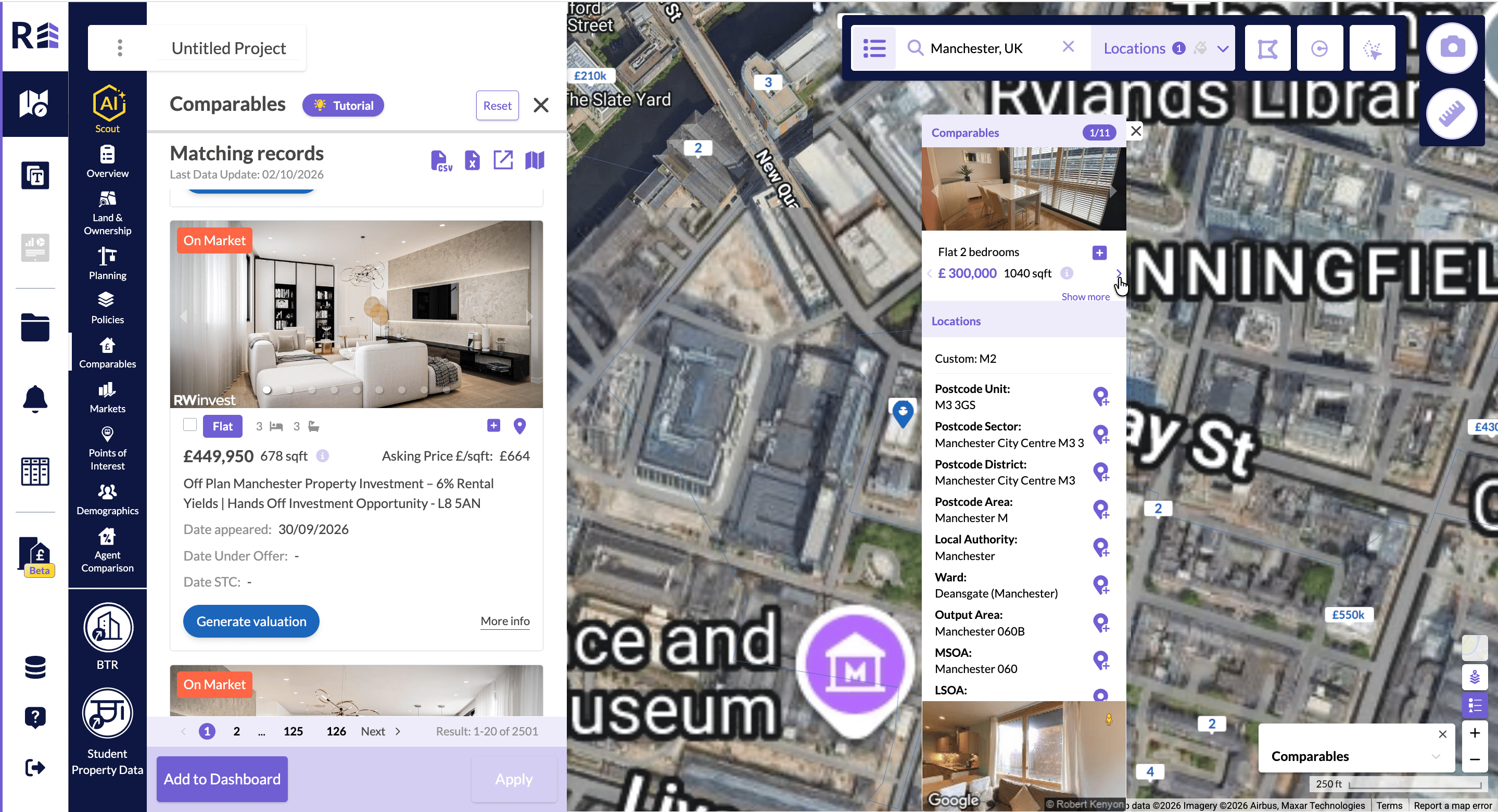
Comparables pop-up for a two-bedroom flat, with location details.
Switch between price and £/sqft
The legend in the bottom right corner is labelled Comparables. Use it to switch between £/sqft and the asking or sold price. On an asking-price search the price option reads Asking Price.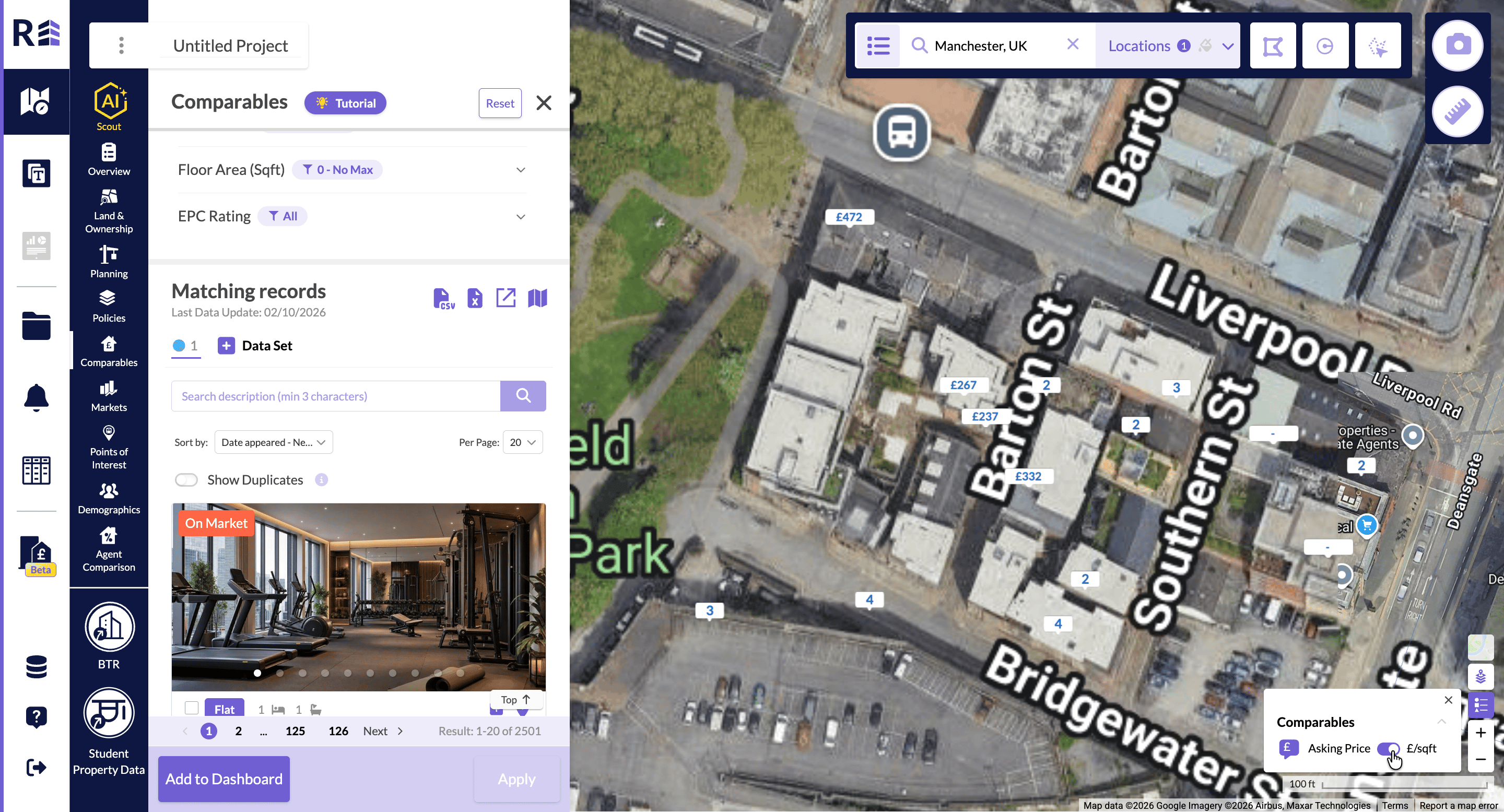
Comparables legend with Asking Price and £/sqft.