The Site Board is where you keep land titles you want to come back to. Open it from Site Board in the left sidebar. A new site is added to the first column. On a new board, that column is named Shortlisted Sites.

Add a site

  1. Open a project and select Land & Ownership.
  2. Open Matching records.
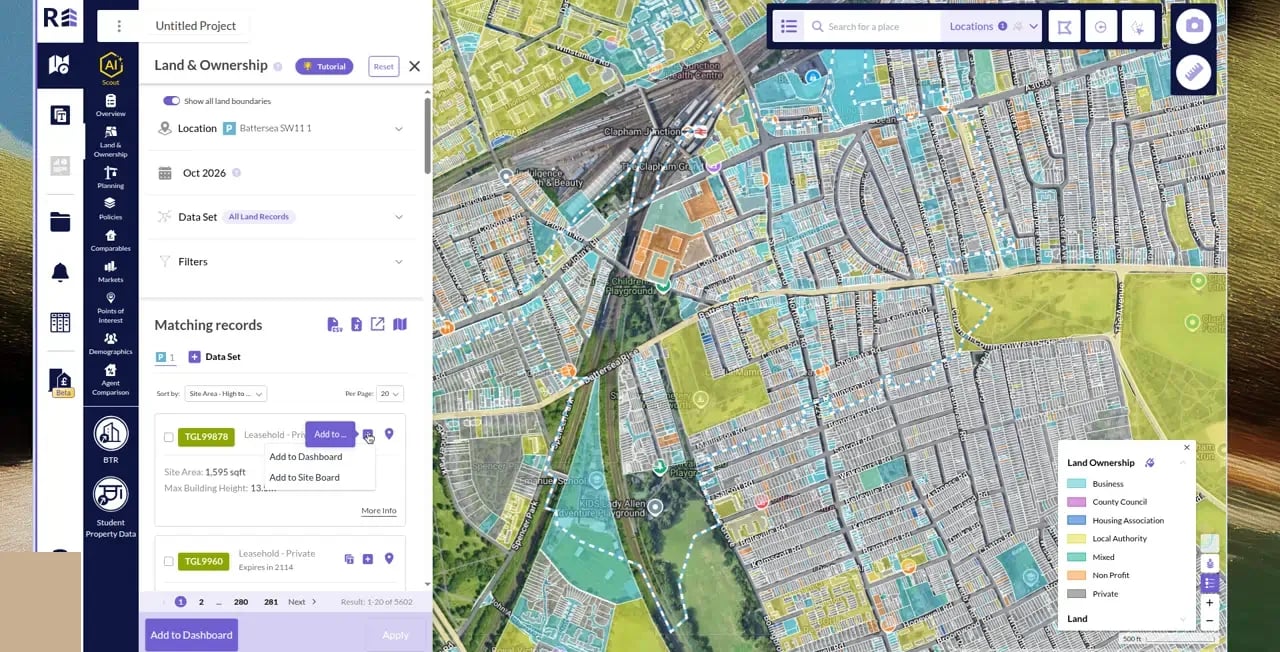
  3. On the land title, click the purple plus icon. Its tooltip is Add to ….
  4. Choose Add to Site Board.
Matching records with the Add to menu open on Add to Site Board

The Add to menu on a land title.

The app confirms with Site was successfully added to board.

Find the site

Open Site Board in the left sidebar. The title is a card in the first column, showing its title number, tenure and Show full info.
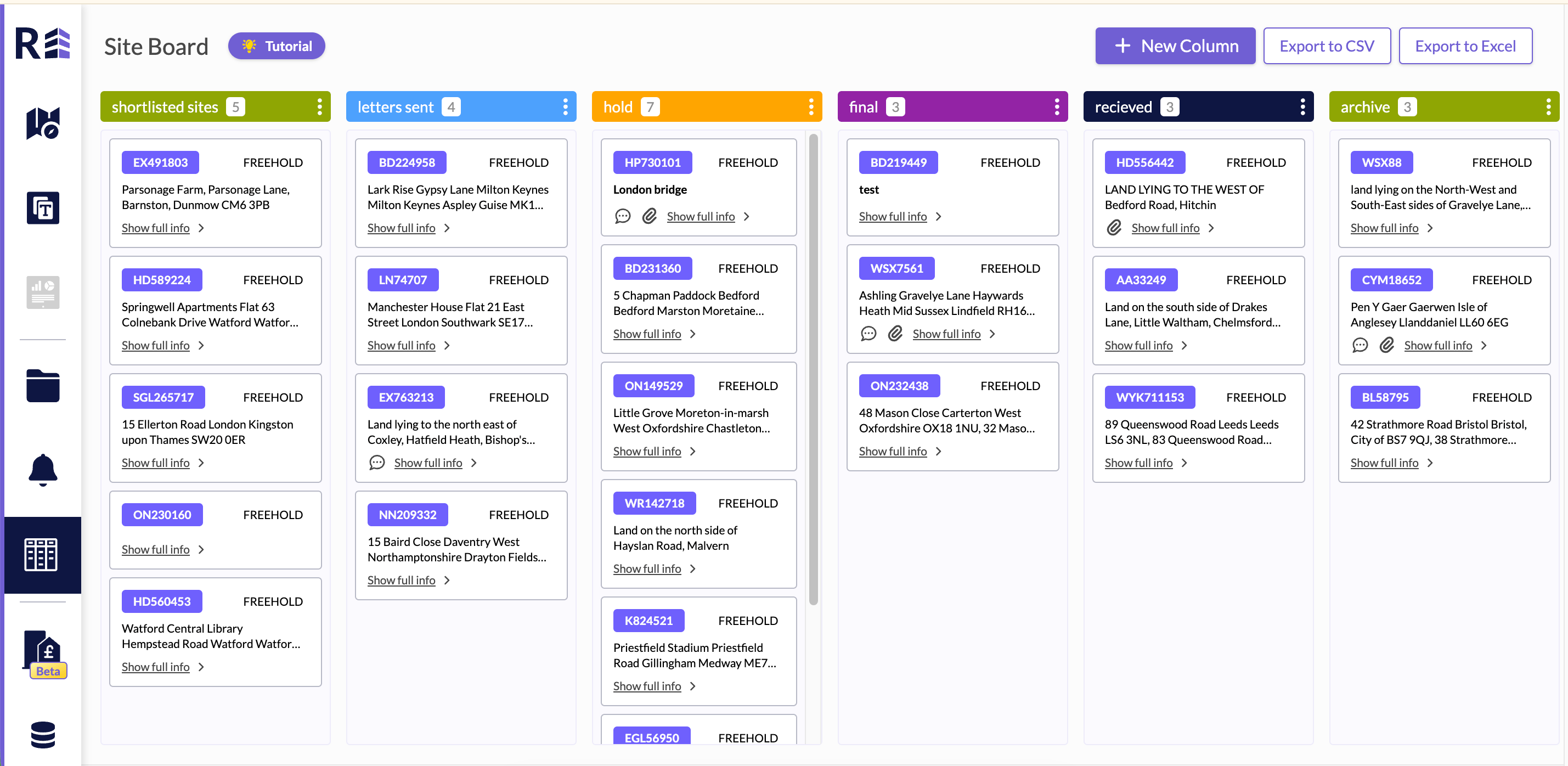
Site Board with the shortlisted sites, letters sent, hold, final, recieved, and archive columns. Each card shows a title number, FREEHOLD, and Show full info.

The Site Board, with title cards in shortlisted sites.

If that title is already on the board, the app says Site is already on the board and cannot be added twice. Site Board is included on some plans. When it is not included, the sidebar icon is locked. To download the board, see Export your work.